Amazon FireTV Devices
In order to change the Plex video quality settings on your Amazon FireTV device, simply find the “Settings” menu option at the bottom of the home screen in Plex.
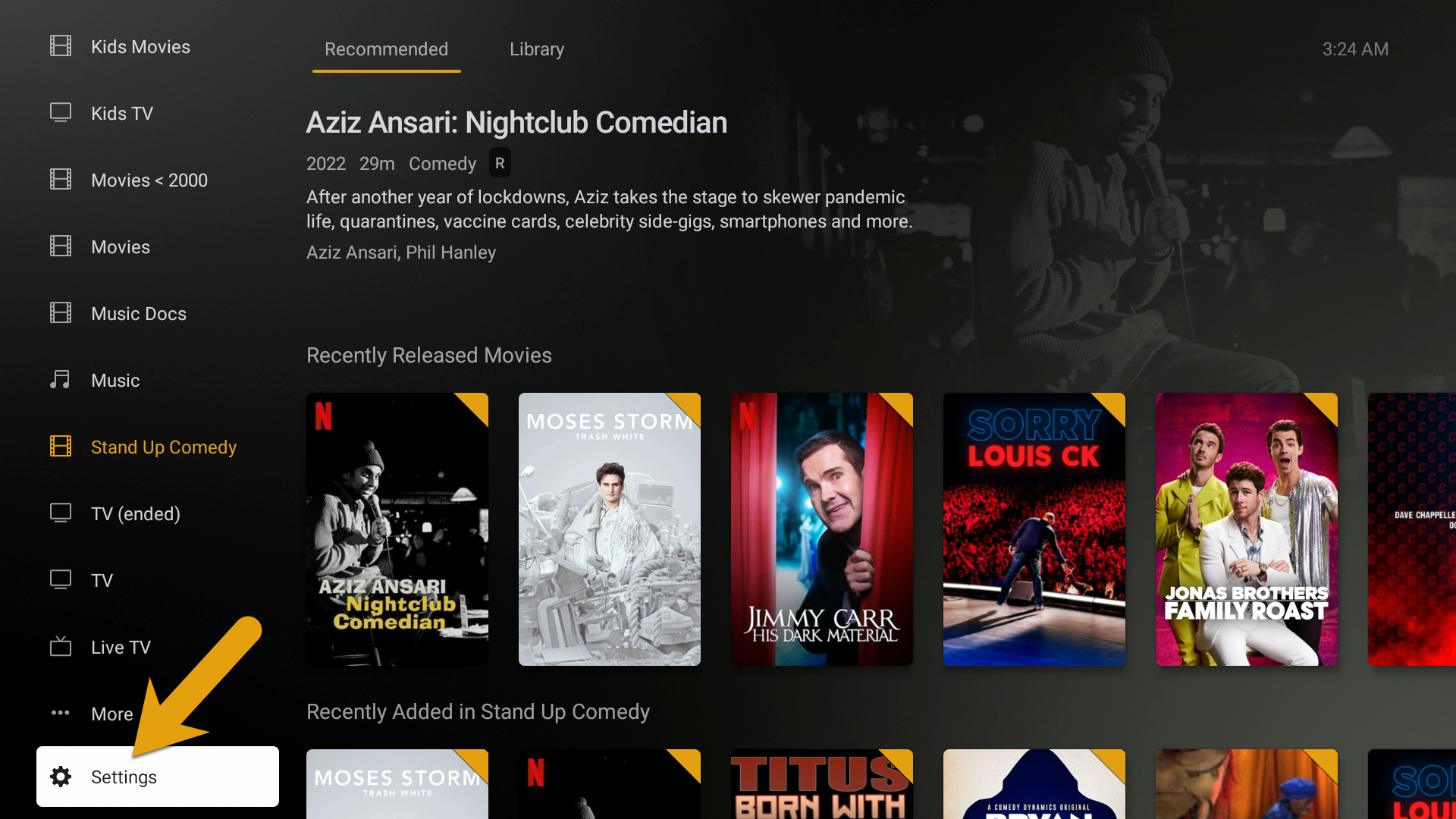
Settings > Video Quality >
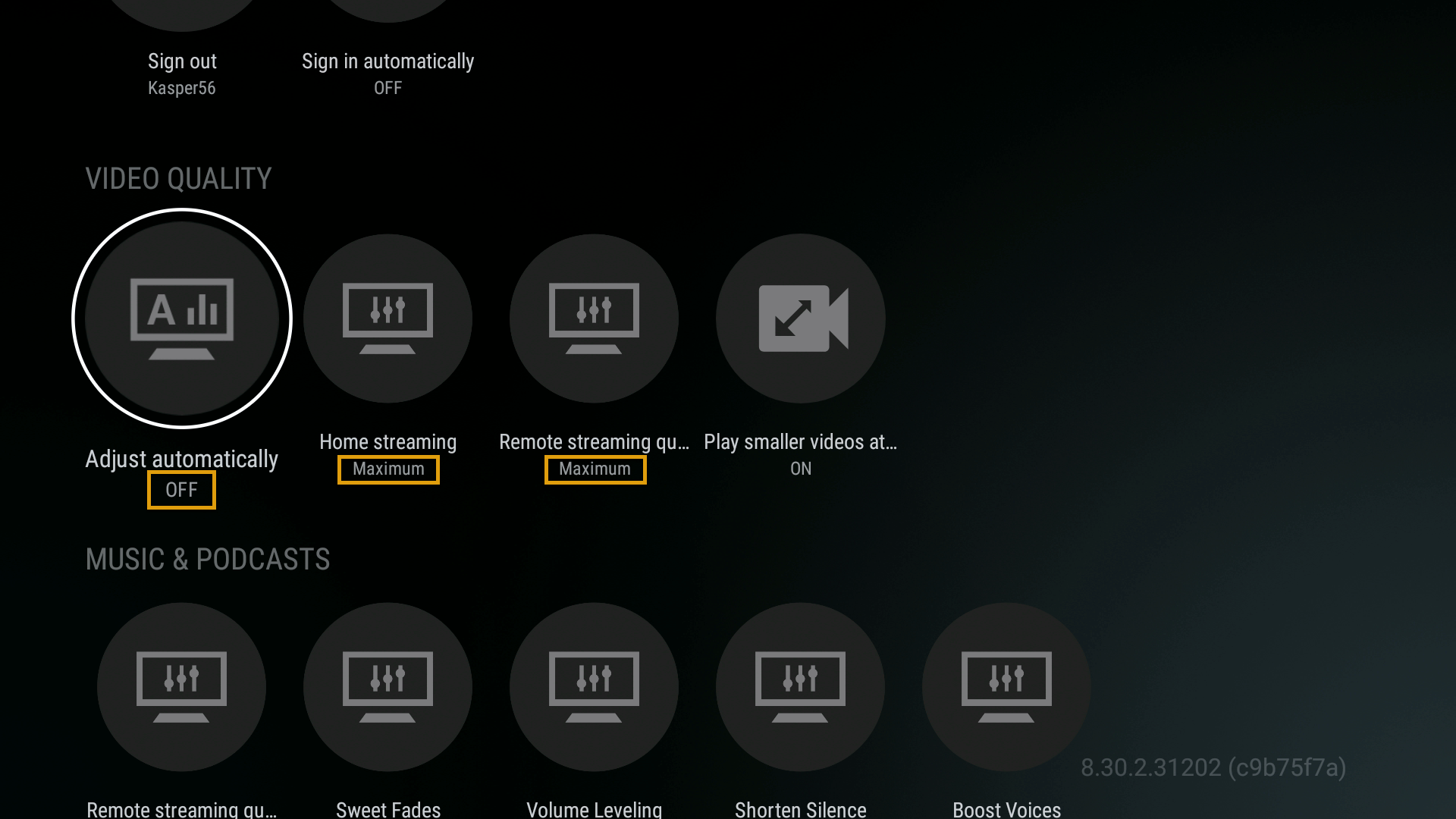
- Adjust automatically > OFF
- Home streaming > Maximum
- Remote streaming > Maximum