Apple IOS
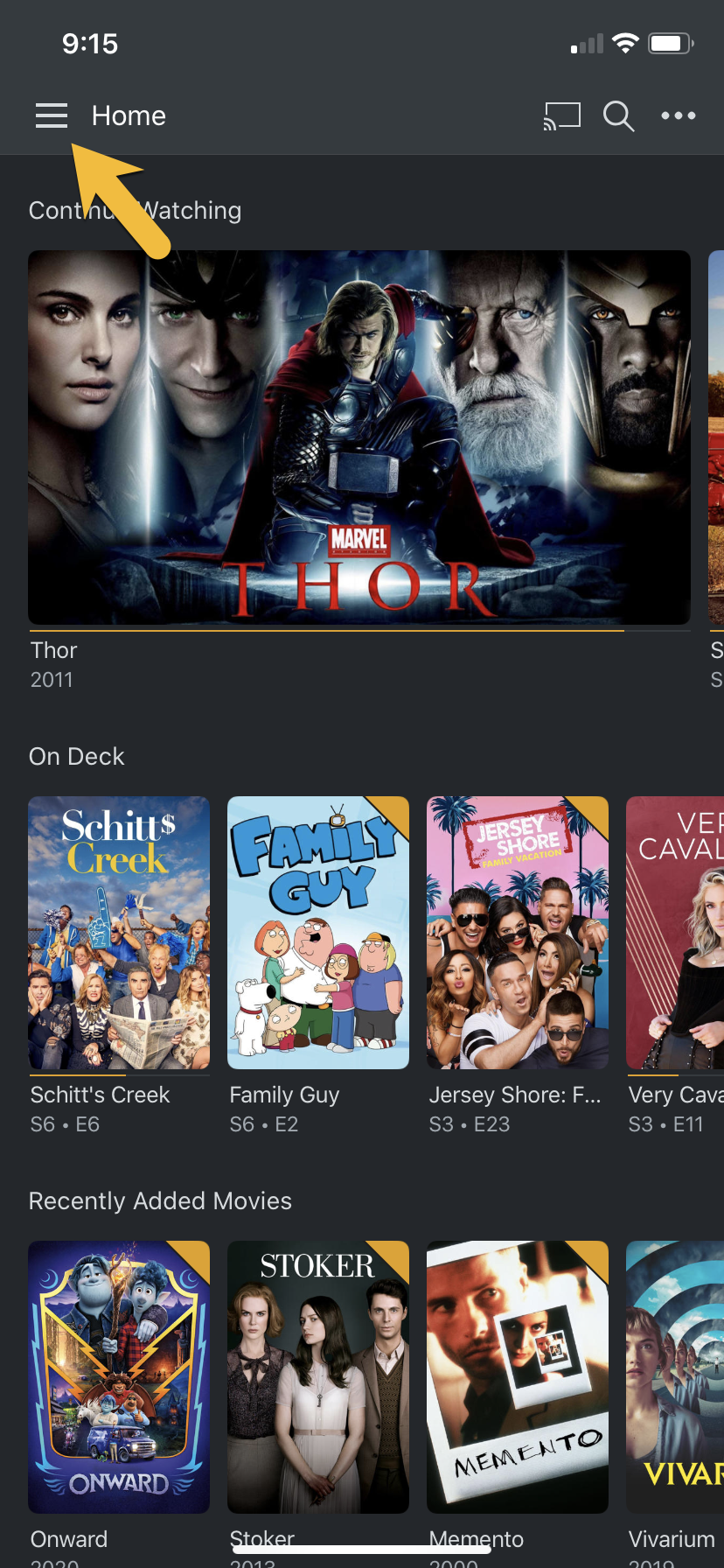
In order to change the Plex video quality settings on Apple IOS devices (iphones, ipads & ipods). From the home screen hit the "hamburger menu" button in the upper left hand corner.
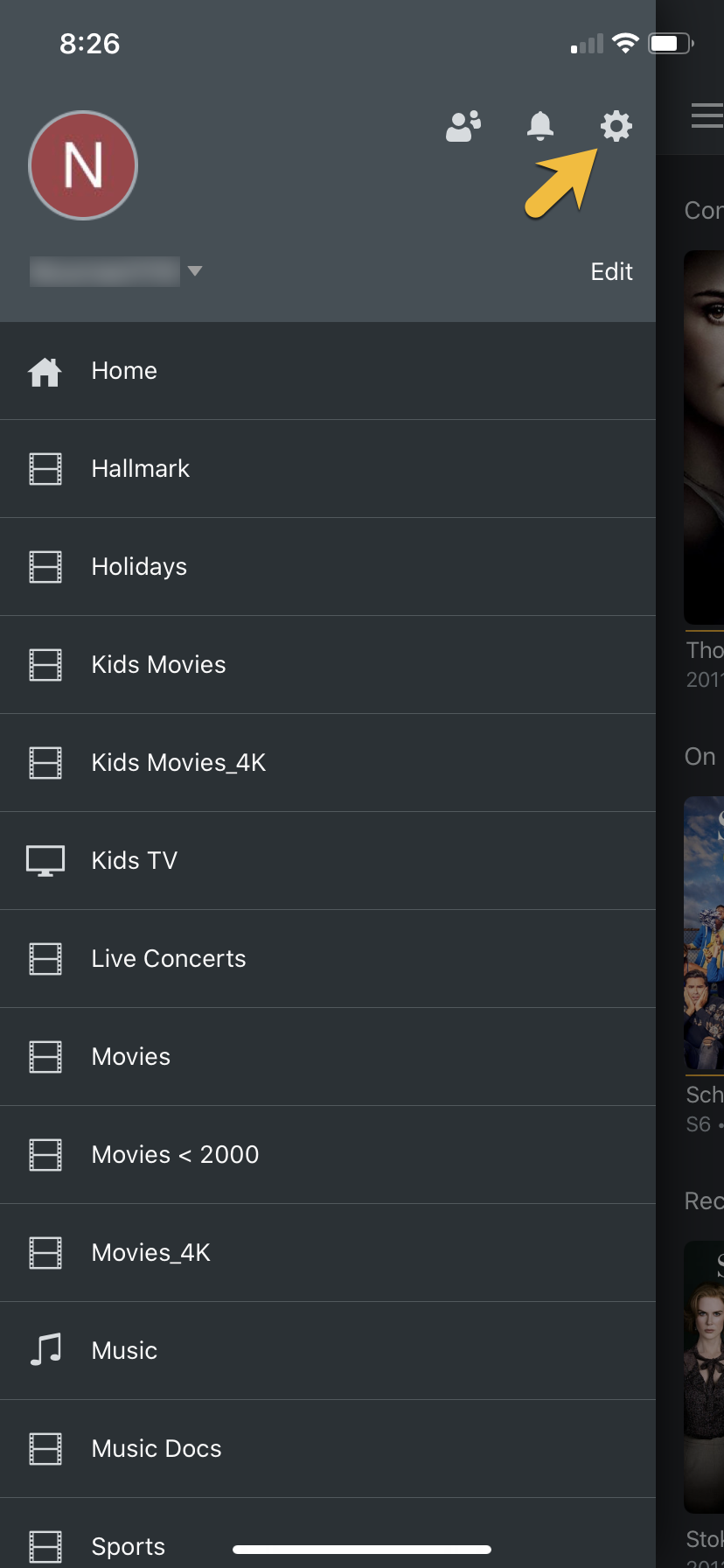
From there find the settings icon that looks like a Gear on the menu screen that slides out from the left.
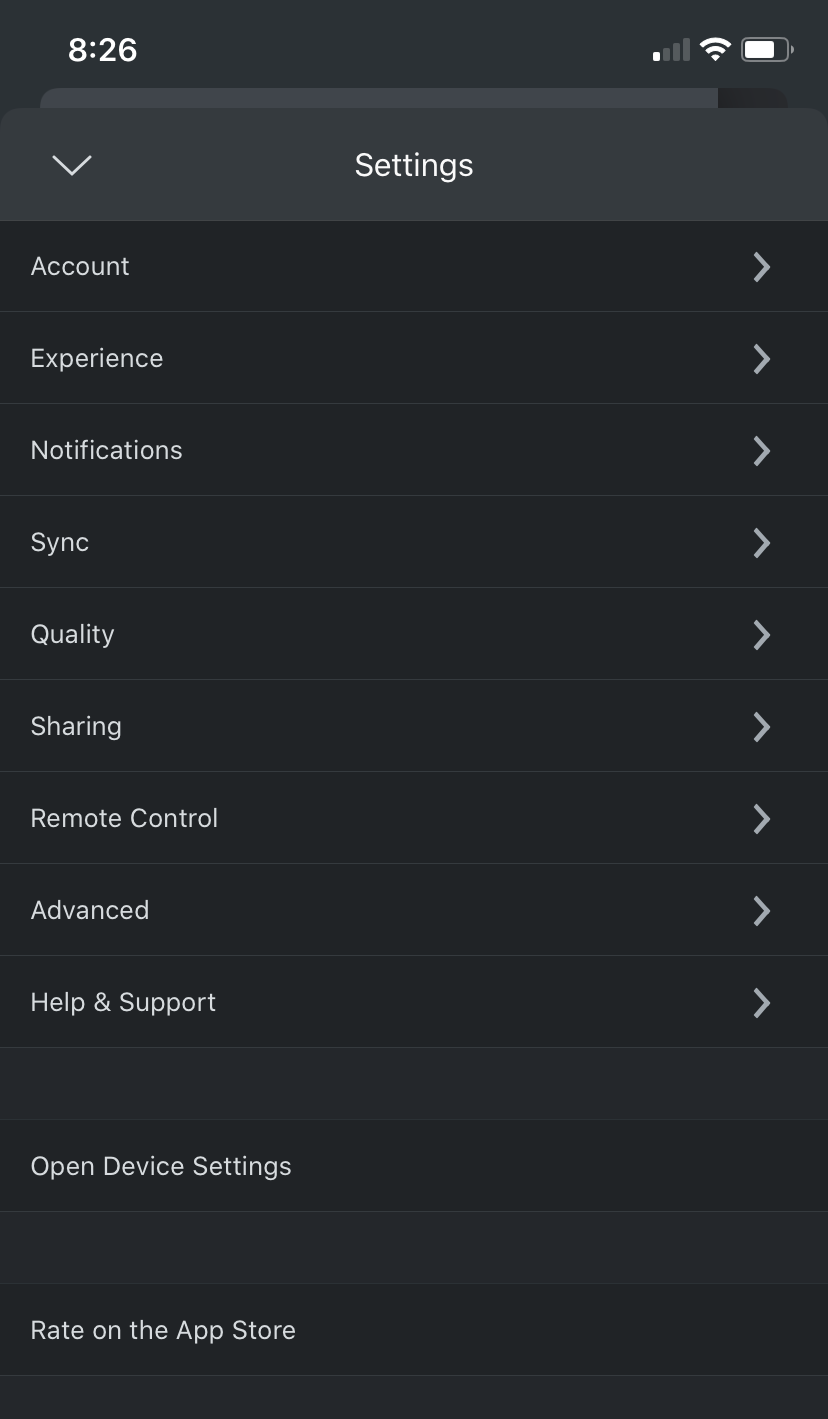
From the Settings menu find and select the Quality section:
Below is what you should see when you first open the Quality section:
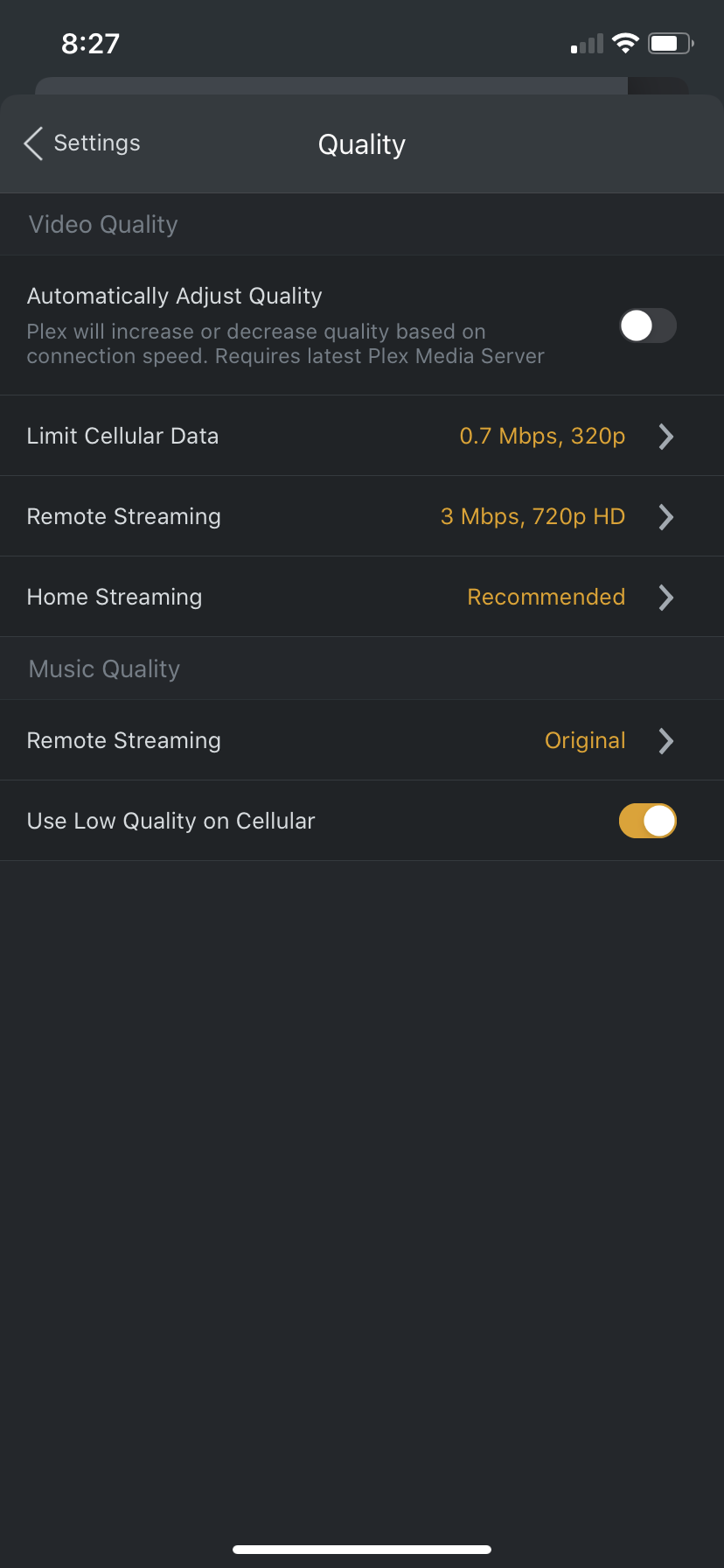
We have to change a few things here, First click on Remote Streaming, now you'll notice that there isn't an option for Original or Maximum like a lot of the other device. That's because it's hidden by default.
- Select the Show All menu option from the list.
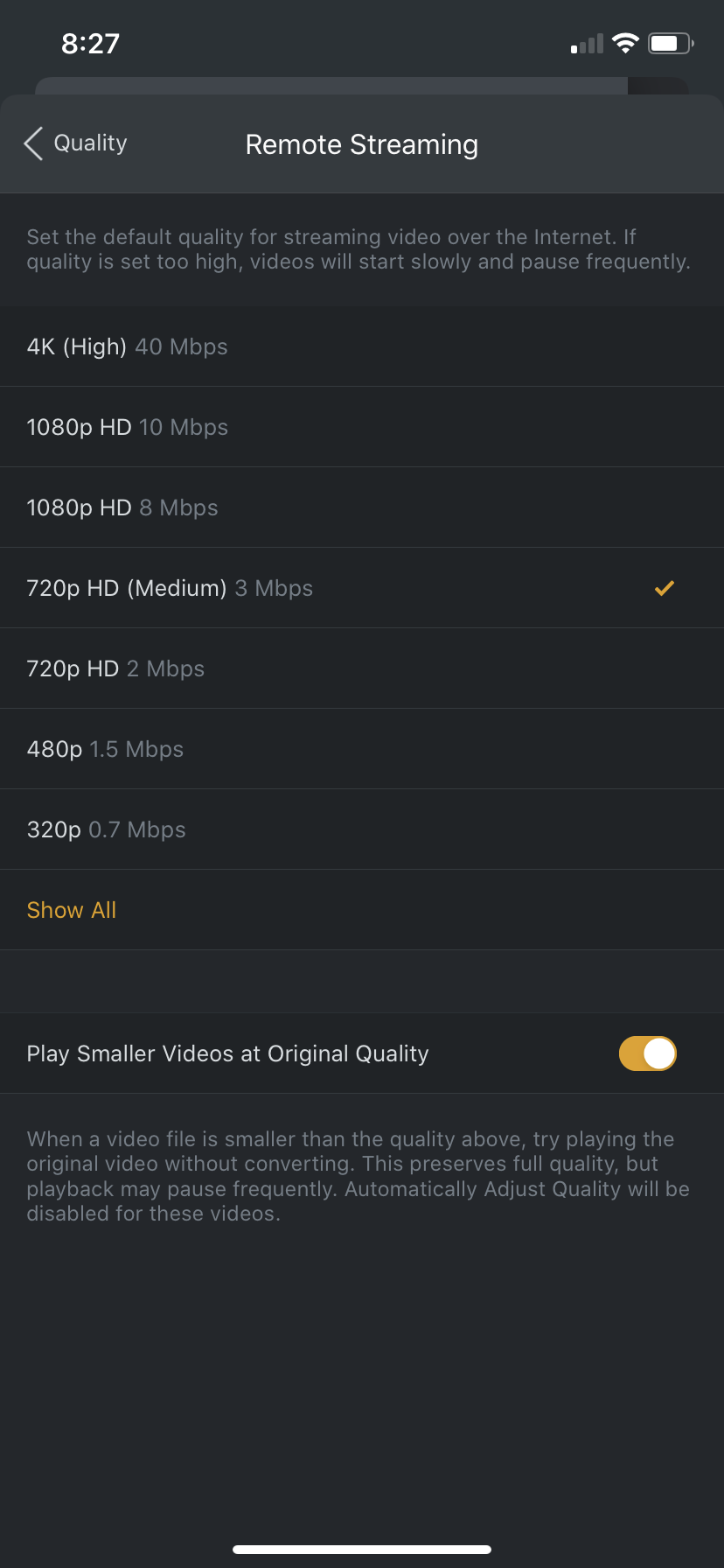
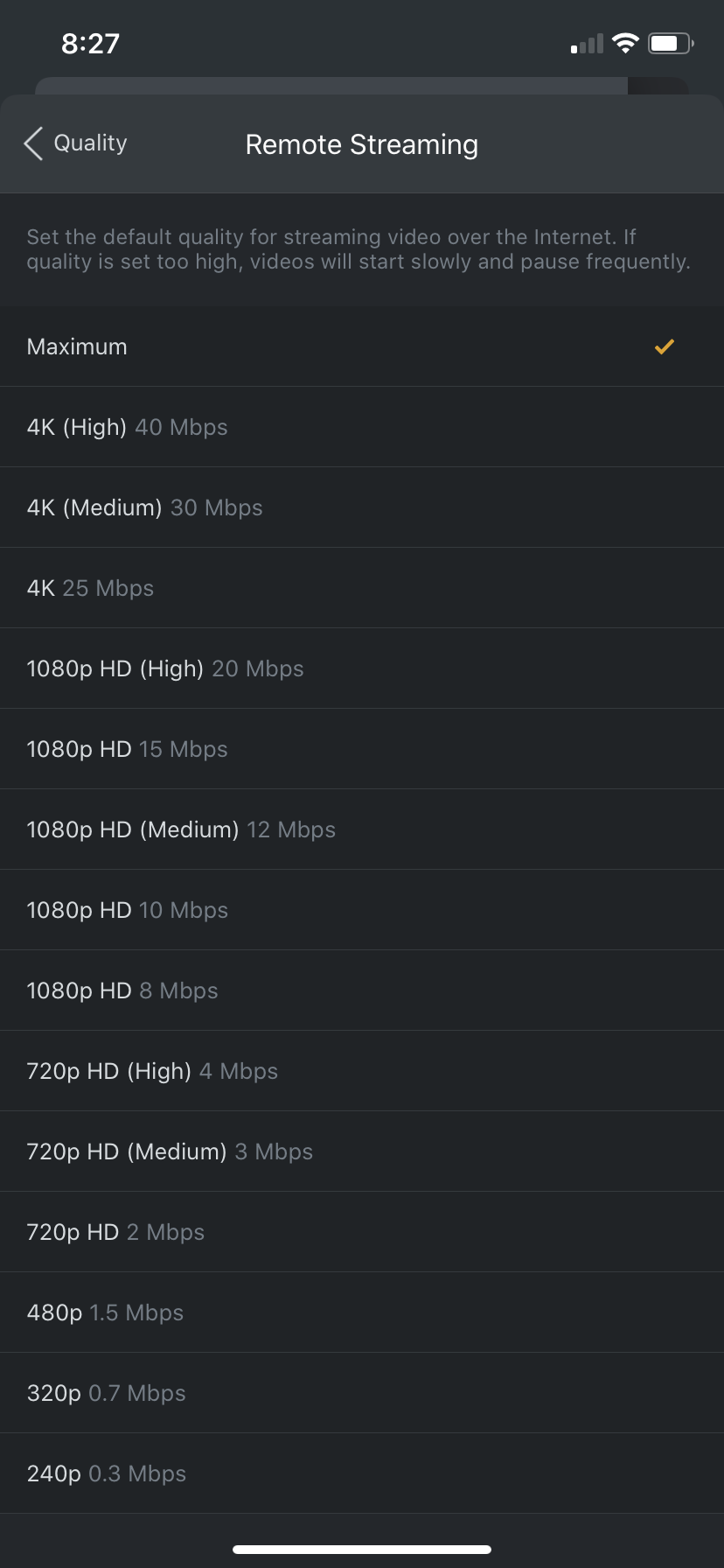
Then you will see the option we are looking for:
- Select Maximum
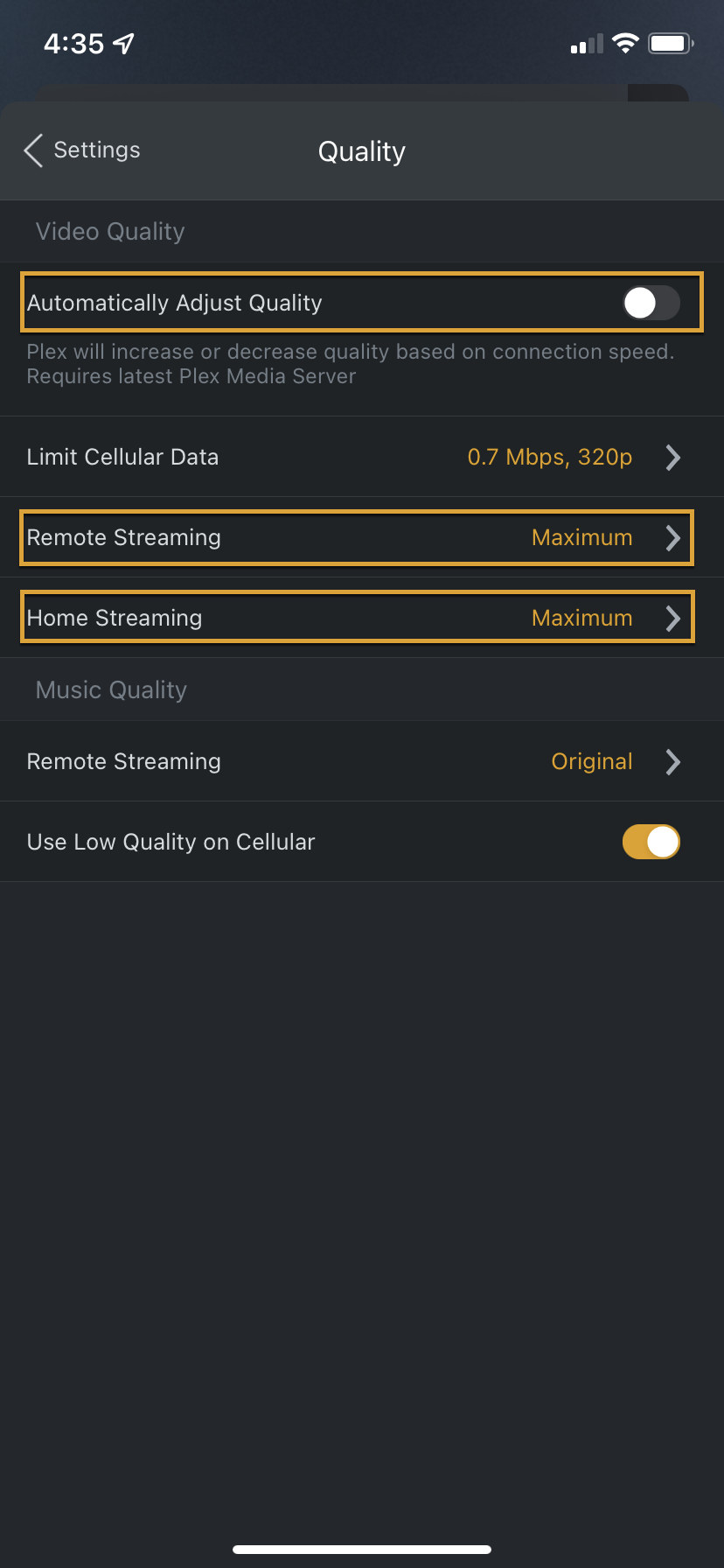
Hit the < in the upper left and you will return to this screen, make sure your selections match these below:
- Automatically Adjust Quality: DISABLED
- Limit Cellular Data: 0.7 Mpbs, 320p
- Remote Streaming: Maximum
- Home Streaming: Maximum