PlayStation
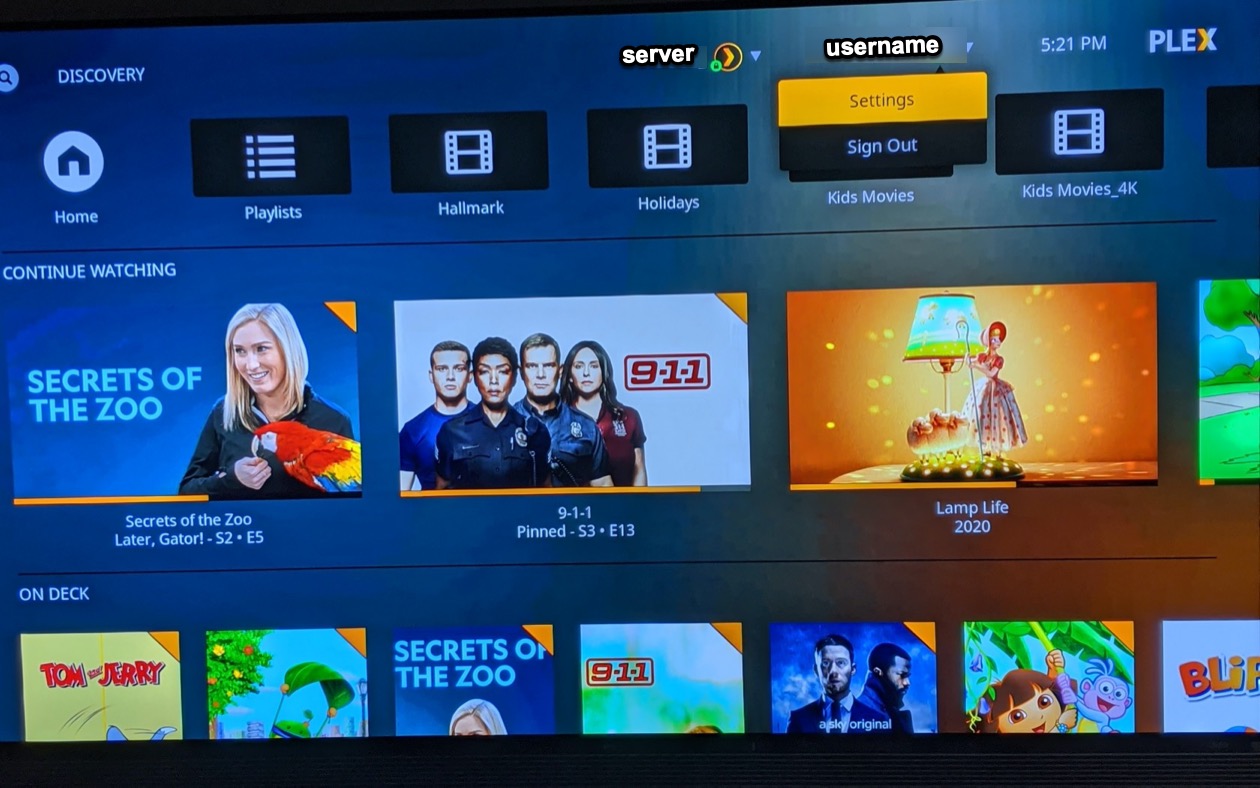
In order to change the Plex video quality settings for the PlayStation console, first find the settings menu at the hidden under your username as outlined below.
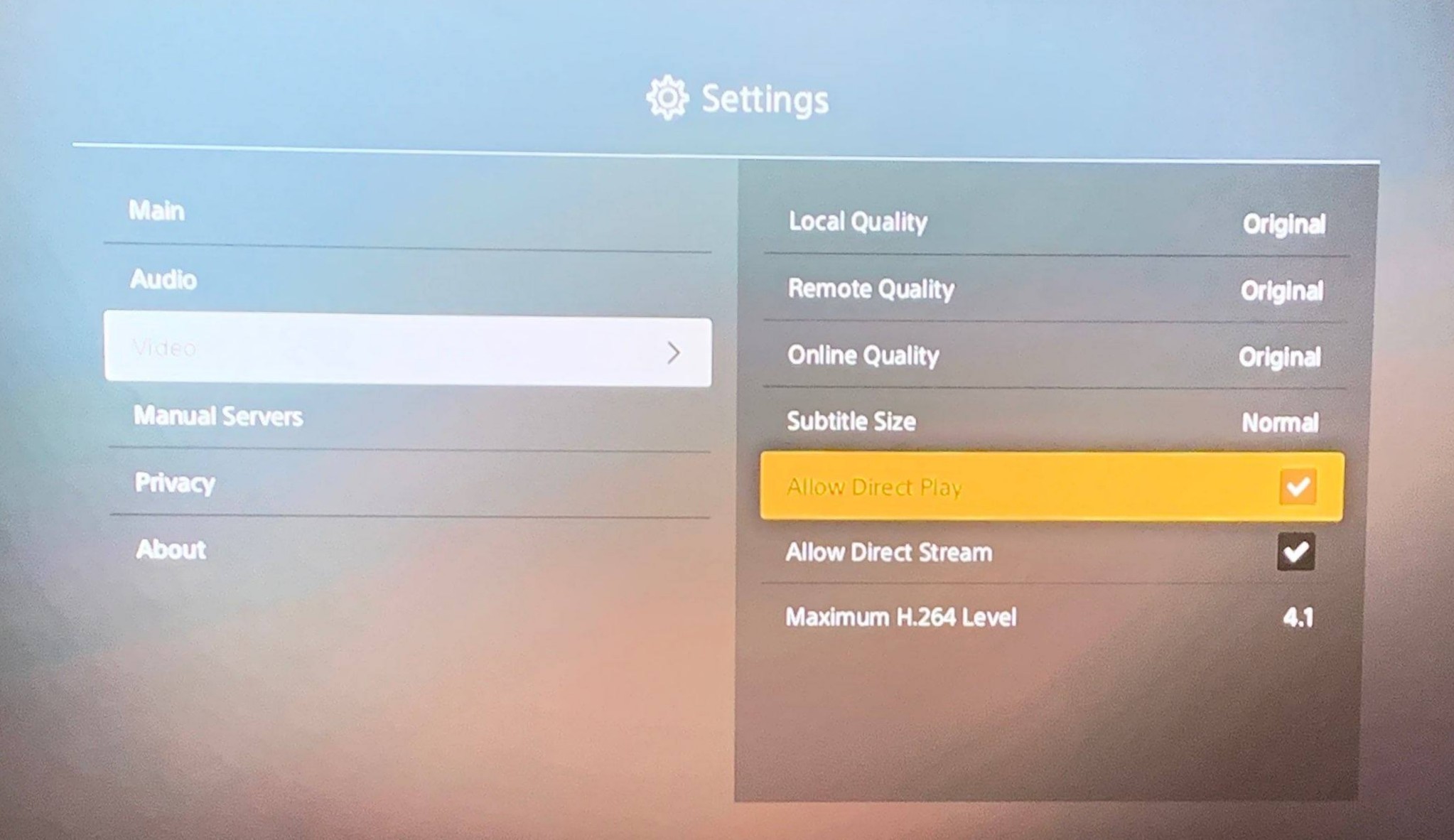
Settings > Video >
- Local Quality > Original
- Remote Quality > Original
- Online Quality > Original
- Allow Direct Play > Check'd
- Allow Direct Stream > Check'd
- Allow HEVC (h265) >