Xbox
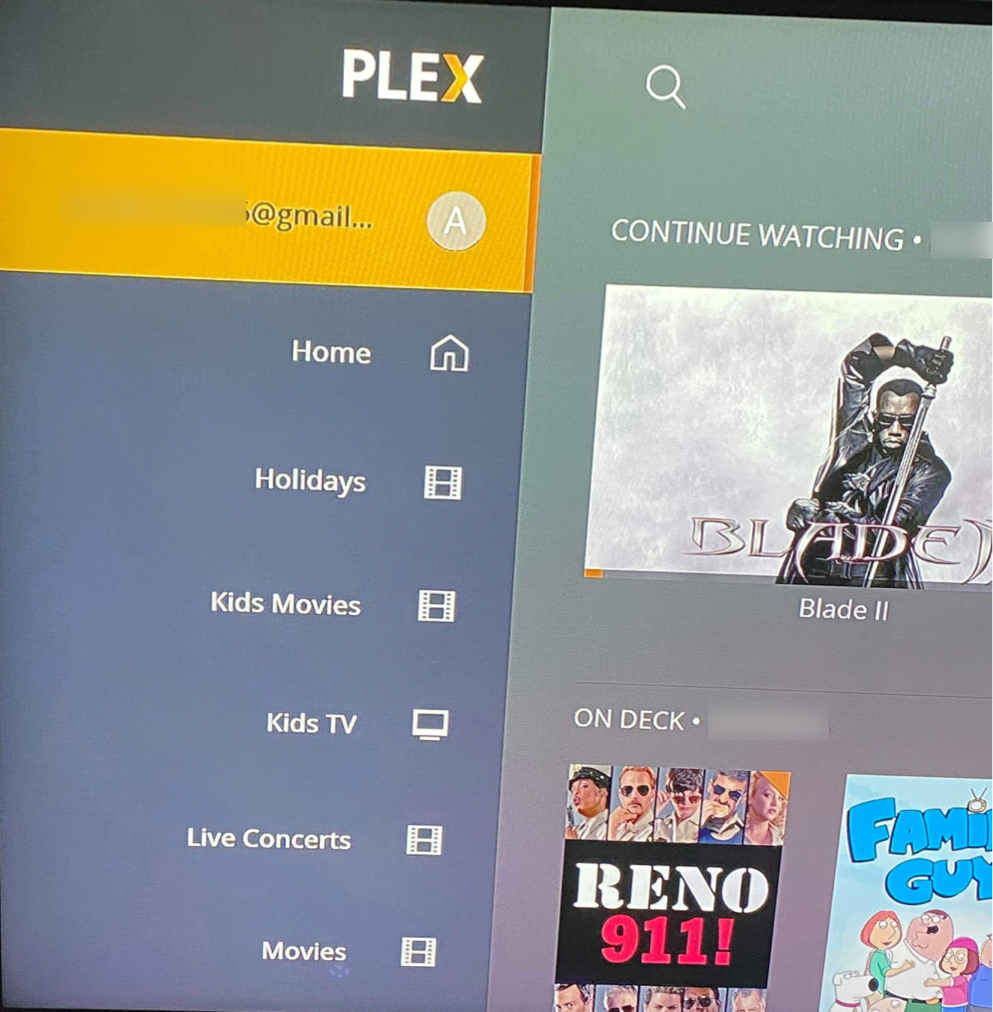
In order to change the Plex video quality settings on the Microsoft Xbox Console, simply find the settings menu hidden under your username in the home screen in Plex.
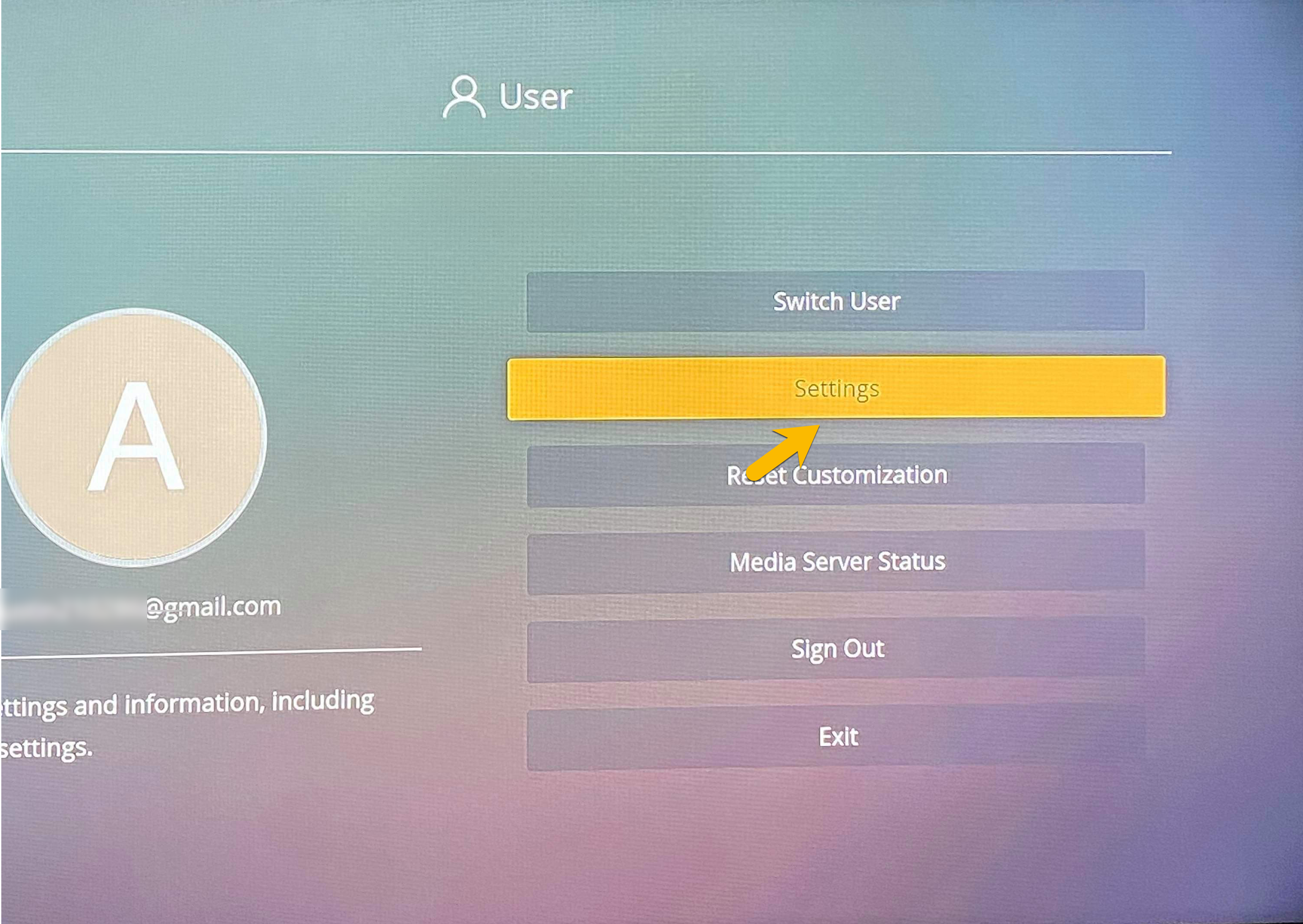
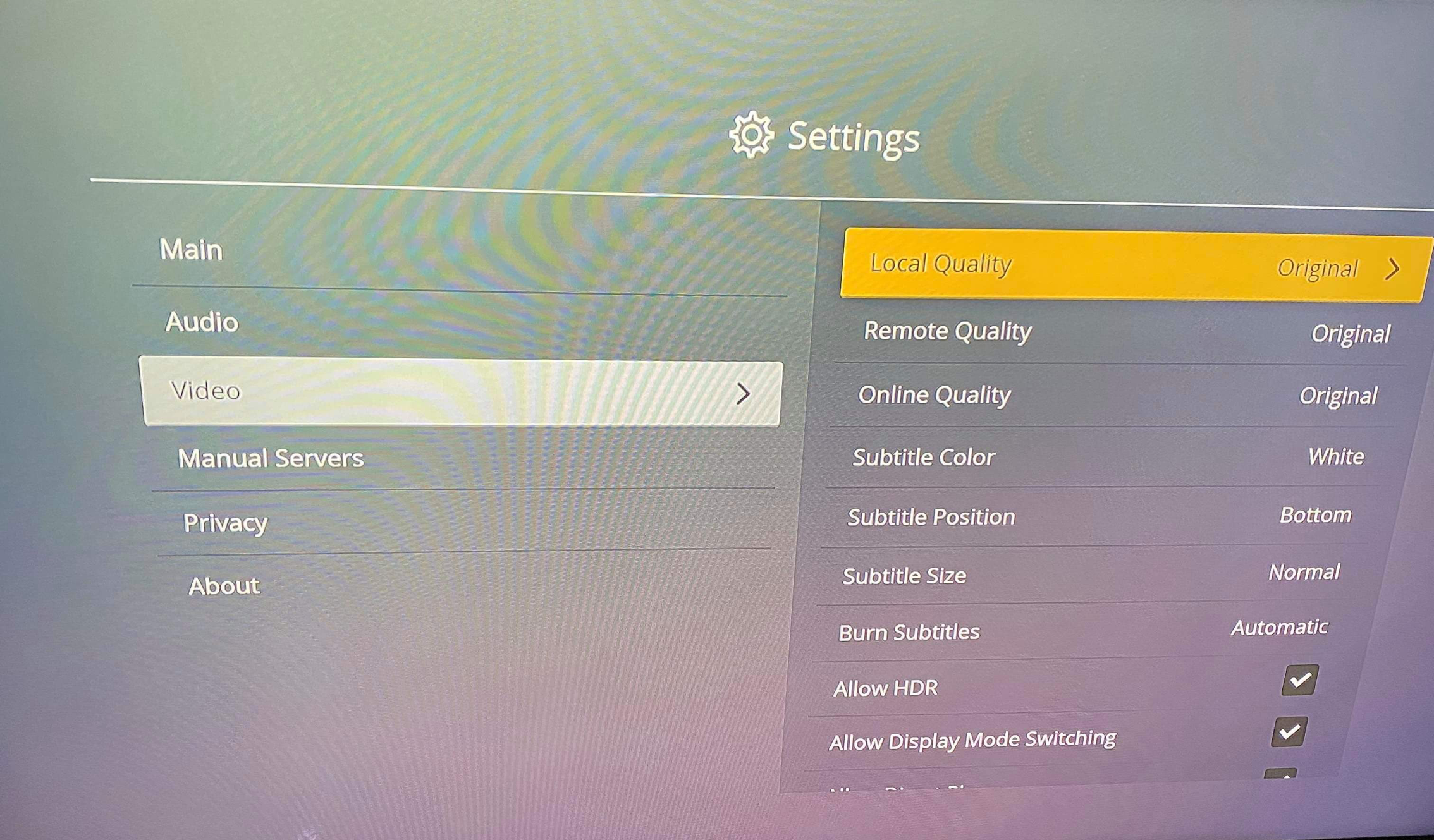
Settings > Video >
- Local Quality > Original
- Remote Quality > Original
- Online Quality > Original
- Allow Direct Play > Check'd
- Allow Direct Stream > Check'd